



A project for business network installation in Hung Yen should be planned around the scope of work, not just an equipment list. Incorrectly positioned outlets, cable routes with no room for expansion, or a migration scheduled during working hours can all cause difficulties once the network is in use.
A clear process helps the business track completed work and acceptance conditions. Each stage should have defined deliverables that management, IT and the installation team can review together.
Survey the site and finalize the network-outlet list
The survey should record desks, printers, Wi-Fi access points, cameras and other devices needing connections. For areas already in operation, check existing diagrams, cable condition and recurring trouble spots before deciding what to retain.
The outlet list should include an identifier, location, purpose and corresponding distribution cabinet. If departments are about to change their layout, confirm the floor plan before drilling, installing conduits or pulling cables to reduce rework.
Agree the plan and installation schedule
The proposal should specify cable routes, materials, cabinet positions, power supplies and configuration scope. Work involving ceilings, partitions, cable trays or electrical supplies must be coordinated with the facilities team to avoid conflicts with other activities.
The migration schedule should identify affected areas, estimated duration and a rollback plan if testing is unsuccessful. Do not remove connections supporting business operations without a plan and a designated person responsible for approval.
Install cables and complete connection points

Organize cable routes for easier maintenance
Cable routes must suit the installation environment, be protected where impacts are likely and follow the materials' technical requirements. Assess distances, bend limits, routing near electrical supplies and outdoor conditions for each route.
During business network installation in Hung Yen, label both ends of cables as installation proceeds. Identifiers should match outlets, patch panels and drawings so the correct cable can be located during testing or workstation moves.
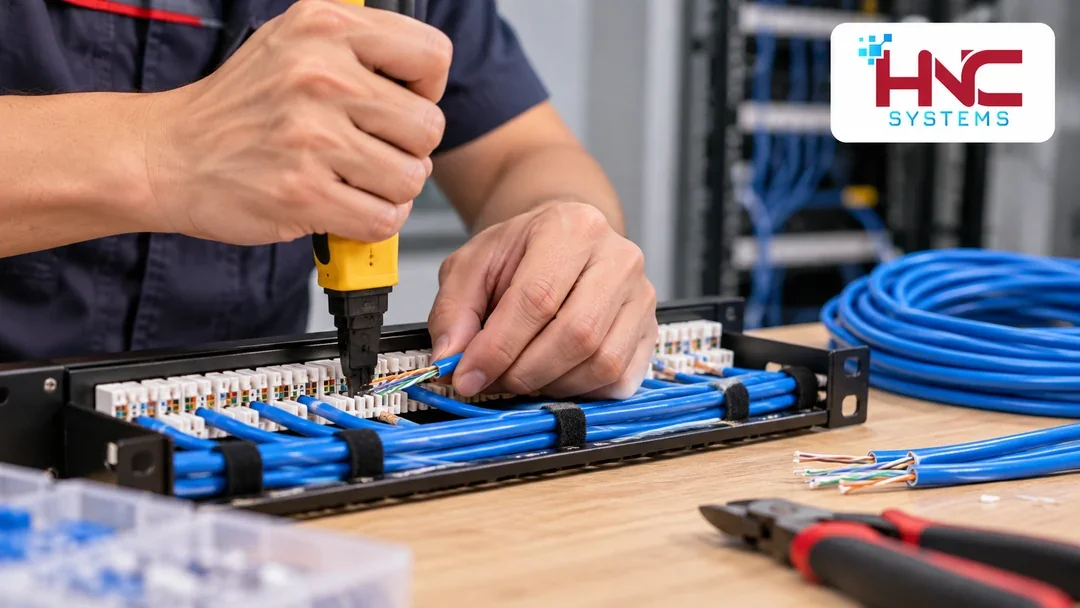
Keep the network cabinet orderly
Inside the rack, arrange cables for easy access to ports and equipment. Equipment positions should account for ventilation, power and maintenance. Do not pack spare cable in ways that obstruct cooling or make replacing one cable disturb several other connections.
Test cables before configuration and operation
Continuity testing can detect some termination faults, but it does not replace every performance test. Agree in advance on the required tests, the link configuration to be tested and equipment suited to the acceptance requirements.
If cable certification is within scope, specify the standard, cable category and test configuration in the documentation. Each result must match the correct route identifier. Failed routes should be repaired, retested and documented, rather than simply marked “connected”.
Test the configuration using real work
After cabling, check address assignment, Internet access, internal applications and permissions between device groups. Test Wi-Fi at actual usage locations; printers and specialized devices also need confirmation from the staff responsible for using them.
- Test network outlets against the agreed list.
- Check permitted access and access that must be blocked.
- Test connection failover if redundancy is included.
- Record outstanding faults, remedies and the person confirming each result.

Hand over documentation and operating guidance
Documentation should include as-built diagrams, the equipment list, outlet identifiers, test results and configuration scope. Administrative account information should be delivered through an appropriate method to the person designated by the business, rather than included in widely circulated documents.
Operators need to know how to recognize common faults, where to view status and whom to contact for support. Warranty terms, maintenance tasks and how to record changes after handover should be clarified in the agreement.
Discuss deployment scope with HNC Systems
Before requesting a plan for business network installation in Hung Yen, prepare the floor plan, estimated outlet count and permitted working hours. HNC Systems is a contact for discussing requirements and clarifying the items that need surveying before deployment is finalized.
HNC Systems · Hotline: 0918.899.229.